 If you’re not a programmer and would like to dabble in programming to see if it’s up your alley, check out the freely available Microsoft Express Editions of:
- Visual Basic 2008 Express Edition – Use this development environment to learn how to create Windows programs. The Visual Basic language is considered to be (or supposed to be) easier to grasp and get started programming. It is a very powerful language with lots of capabilities.
- Visual Web Developer 2008 Express Edition – Use this development environment to learn how to create web applications. You can use both the Visual Basic and C# language to create websites.
- Visual C# 2008 Express Edition – The C# alternative to Visual Basic.
- Visual C++ 2008 Express Edition – C++ is a language that allows you to work at many different levels of a computer.
- Visual Studio Express Editions – An ISO file that contains all the above so you can burn it to a DVD and install it all.
You can download the above here. For additional resources to learn about programming, both basic programming and advanced programming, click on the rotating banner when you visit this page. One link in particular is the Microsoft Visual Studio Express Editions Beginner Developer Learning Center located here.
If you want to get started with databases then the freely available SQL Server 2005 Express Edition is also available. You can use this database with any of the above languages.
What is Programming?
Programming is a way to control and manipulate computers to do something you want them to do. It provides the instructions that tell your computer what to do. At every level of your computer’s processing there is a programming language of some sort telling it how to run.
The languages listed above are only a few from Microsoft. There are many other programming languages you can use to do various things like create Windows programs and websites. Examples of Windows programs are WordPad, Notepad, and Microsoft Word and Excel. All these programs were written in a programming language.
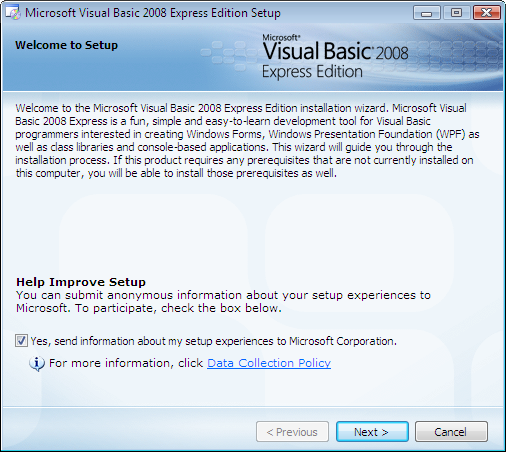
So for this article let’s look at the Visual Basic 2008 Express Edition. The screen shot below is the Welcome to Setup screen.
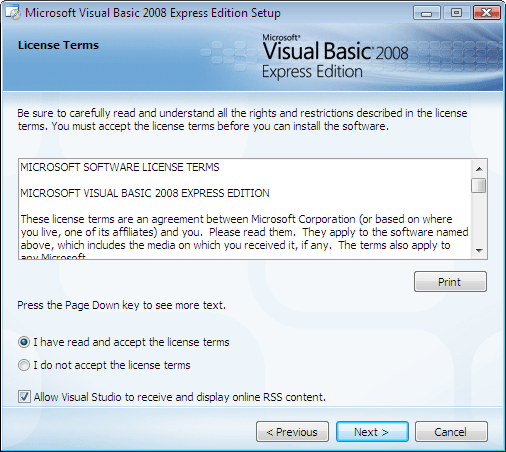
Below is the License Terms screen.
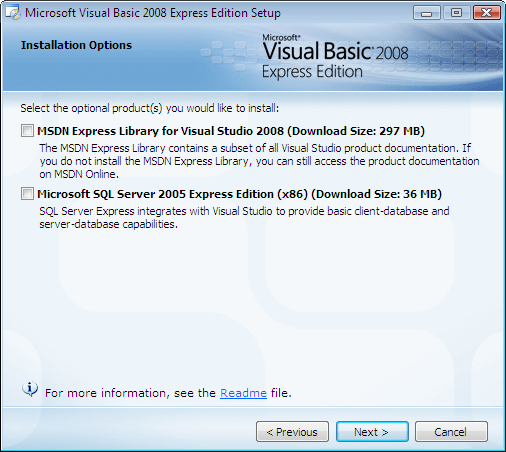
Below is the Installation Options screen. For now, assuming you are unfamiliar with SQL Server let’s keep both check boxes unchecked.
Below is the Install Destination Screen.

Below is the final Installation complete screen.
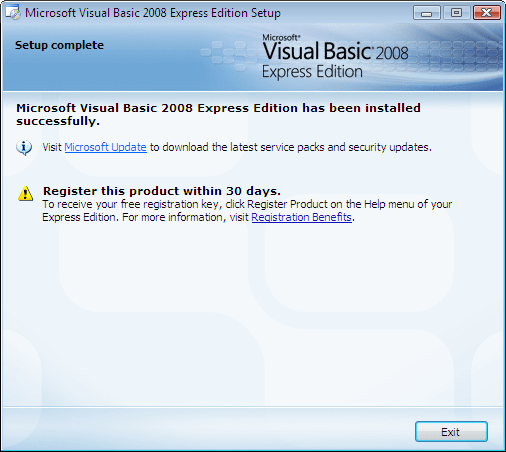
That’s it for the install. It takes about 5-10 minutes to install depending on the power of your computer. Make sure to check the Windows update website to see if there are any updates you need to install that are related to Visual Basic 2008 Express Edition. In my case, during this install I did not need any updates.
Below is the screen shot of Visual Basic 2008 Express Edition right after install.

Click on image for larger view
The screen shot above is considered the development environment for Visual Basic 2008 Express Edition. There are quite a few different aspects of this screen but for now, let’s create our first windows program and run it.
Do the following:
- Click on File->New Project…
- Click on the Windows Forms Application
- Don’t change anything else for now and click OK
- A project will be created and display the following screen

Click on image for larger view
Press Ctrl-F5 to run the program. If everything went well, you should see the screen below as a running Windows program.
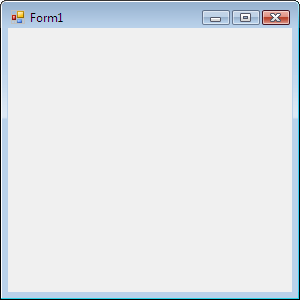
Click on the red X in the upper right-hand corner of the window to close the program. You will be returned to the development environment.
That’s it!! You are now an official programmer. 😉 Pretty cool, huh? Ok, I know you didn’t write anything to make it work but that’s how easy it is to get started with real results that might possibly spark that inner programmer to delve a bit deeper.
More to come on Visual Basic 2008.
Great post. I really enjoyed it, I will have to bookmark this site for later.