The new Windows Vista Start Menu has changed a bit compared to previous versions of Windows. For example, Windows XP Start Menu had layers of menus that flew out to the side. Now the menus slide up and down. The Start button doesn’t have the word “Start” on it anymore and it’s round. See screen shot below.

Click on image for larger view (1024 x 768)
Below are two screenshots of the menus that slide up and down and not out to the right.


When you click on “All Programs” in left image you see the the menu in the right image. When you click on the “Back” button you go back to the image on the left. No menus pop out to the right as in previous versions of Windows. They overlay each menu as you click on them.
We’ll work with the image on the right and its menu list to navigate some of the new programs provided by Vista Home Premium edition. There are quite a few programs that come with Vista that allow you to be productive right away. Let’s start with Windows Calendar.
Windows Calendar allows you to create basic appointments and to-do lists. It interacts with your Windows Contacts as well.

Click on image for larger view (1024 x 768)
Windows Contacts is shown below. It is integrated with Windows Calendar and Windows Mail.

Click on image for larger view (1024 x 768)
Windows Defender is installed by default in Vista Home Premium and is an Anti-Spyware program that helps eliminate spyware. The anti-spyware program will help stop bad things happening to your Internet Browser as you surf the web.
Windows DVD Maker is also provided and allows you to burn audio as well as video to DVDs so they can be played on other computers.
We’ll skip Windows Live Messenger Download, Windows Mail and Windows Meeting Space for now since we’ll look at the together in another post here at my blog.
Windows Media Center allows you to turn your Windows Vista PC into a media center that controls and organizes your audio, video, and with a direct connection to your TV or indirect connection through Microsoft’s xbox 360 you can record and play back TV media.
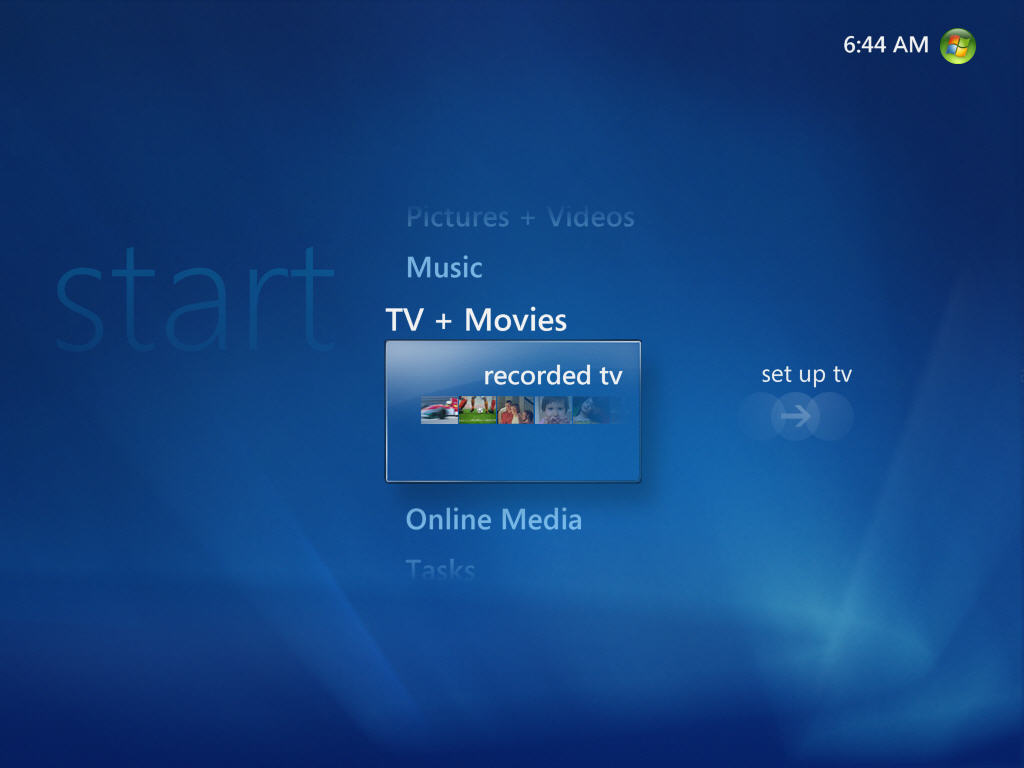

Click on image for larger view (1024 x 768)
Windows Media Player allows you to rip, burn and play your audio CDs as well as view videos.

Click on image for larger view (1024 x 768)
Windows Movie Maker allows you to create and edit movies using photos as well as videos from a digital camera or digital video camera.
Windows Photo Gallery allows you to organize, tag and view your photos.

Click on image for larger view (1024 x 768)
Windows Update is the the same feature we’ve seen and used throughout previous versions of Windows. Windows Update allows you to connect to Microsoft Update Website to download and install updates to Microsoft Windows Vista.
That’s it for a quick introduction to the Windows Vista Start Menu and some of its programs that allow you to organize all your data on your Vista PC.
Thank you for this! I was really confused and you helped clear up a few things for me 🙂 thanks again!
Windows vista is very convenient to use. Now I do am entire work on this. This has got many new features. The best one is that I can open multiple tabs at a time. This makes my work very easy.
Nice Vista tips. I’ve been really looking for some advices mentioned here for a long time. Thanks for this great reading….
It’s time to upgrade to windows 7 a much much better os imo.
It is not present in Windows 8 but by making few changes
you can replicate aero glass affect to a certain extent.
– Windows Store is being introduced which is similar to Mac App Store allowing users to browse
thru windows apps. 99 upgrade last week with
three different PCs, all from Lenovo and all purchased after June 2.