 If you’re looking for a free anti-virus software solution, AVG Anti-Virus Software (currently version 7.5) offers a great free solution to protect your PC from viruses.
If you’ve purchased a PC for home recently and it came installed with Anti-Virus (AV) software, you might have anywhere from 30-90 days free anti-virus protection. A lot of times the protection runs out and you’re left thinking that your AV software is still protecting you because you forgot the AV protection would only last for 30 days.
Personaly, I would uninstall the AV software that came with a new computer and install AVG Anti-Virus Free Software, unless you think you’re going to return the computer. AVG has done the job for me for more than a year on multiple home PCs. There are other free AV software packages but AVG is my first choice and I might review or suggest some others in another blog post, but for now I’m stickin’ with AVG.
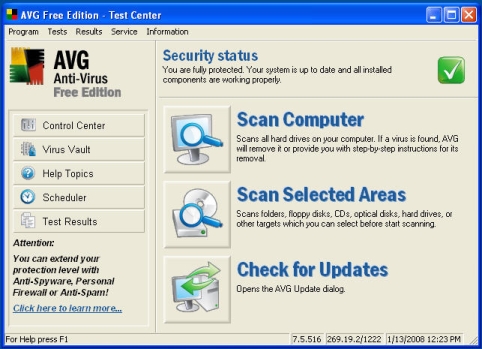

How should you use AVG Anti-Virus Software?
I would perform a normal install and accept all the defaults unless there is something obvious during the install that you’d like to change for your setup. Once installed, make sure you do a full scan of your PC.
There are many settings in the AVG software and a lot of them won’t work unless you purchase the professional version but we’re mostly interested in setting the time when AVG does a full scan of your computer. That setting is usually set to 8:00am by default. I change it to 1:00am.
If you’ve been reading my blog and you’ve read the post about automatically shutting down your PC, you know I do that at 3:00am. I also run a complete spyware scan on my pc at 2:00am every night. So I would perform a full virus scan once a week at 1:00am every Sunday morning. So those three process take place at 1:00am, 2:00am and 3:00am. Adjust the times for your own environment.
You can also start them manually if you’d like. However, I find the automatic schedule that I’ve set up ensures that these processes do get run on a routine basis. I don’t have to worry about starting them or checking to see if they’ve finished. I do take the time to review any log files and the Windows Event Viewer the next day to make sure they’ve run successfully.
[techtags: Anti-Virus, Free Software]
True, I’ve long been using AVG free, my PC is always safe and protected from malicious virus attacks.
Hi….I was one of the users of this antivirus, but for the paid version. Previously I was using a free antivirus, pretty good. However, there is still a virus or malware that pass. And since then I decided to use AVG Antivirus 2012 and I am satisfied with its performance. No more problems with viruses or other malicious files…Thanks 😀